
Spaces – Student Help
On this page, you will find videos and instructions to help you use Spaces to complete your Core Competency Reflections.
LOG IN – Please use this link to directly log into your Spaces account
Collecting Evidence of the Core Competencies
What you will do: During this step you will be supported by your teachers as you collect samples of your learning (evidence).
Why: Evidence collected during this step will be used at various times throughout the school year as you reflect on your growth as a learner. Check this out to learn more about the importance of reflection:
How often: Ongoing in all your classes.
Looking for help: The following videos and guides have been put together to guide you through the evidence collection process. Should you prefer to read through the process, click on the thumbnail below. There is also a step by step slide deck to guide you.
Collecting Core Competency Evidence Video
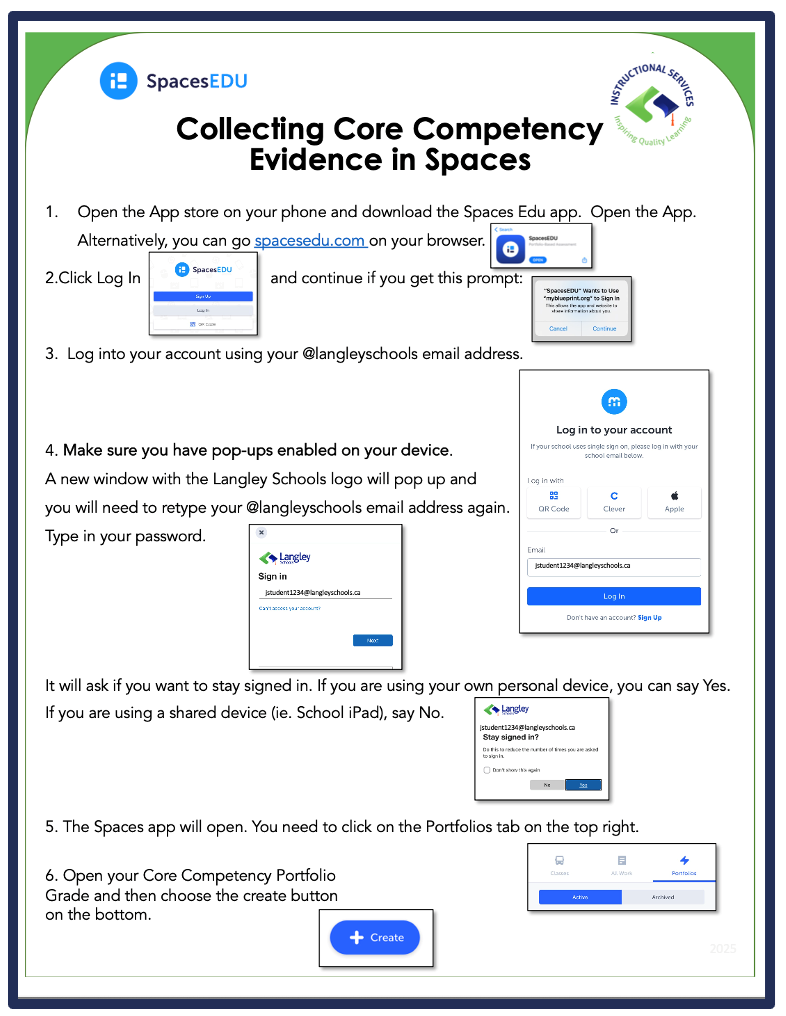
Collecting Core Competency How-To Guide
Having troubles logging in?
If you are having trouble accessing Spaces, here’s some help:
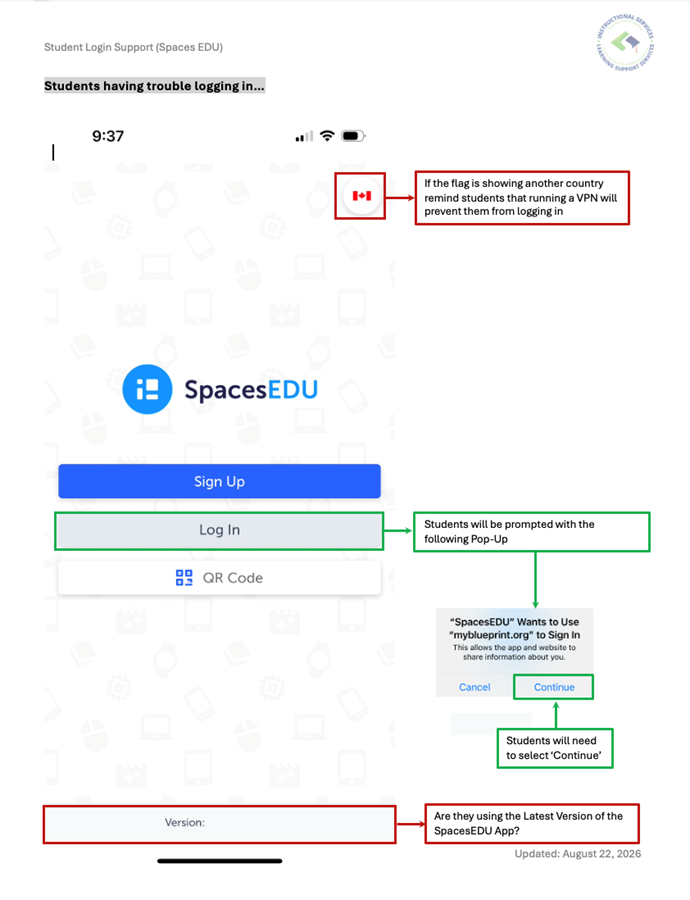
Click on the thumbnails for help videos.
iOS (iPhone/iPad):
Android:
Android device: Allowing Popups
Are you leaving School District #35?
Are you graduating or leaving the school district? You need to update your email address with Spaces in order to continue to access your work. Please email hello@spacesedu.com and ask them to change the email address on your account to your personal one.